At the powerapp portal or maker portal there is an import canvas app function, but it only accepts zip files. When we add a new canvas app there is no import either.
While there is a direct msapp download available in the Power Apps Studio it is a little adventure to get it from system A into system B
msapp Import
Long story short, the import still exists but is a little bit hidden.
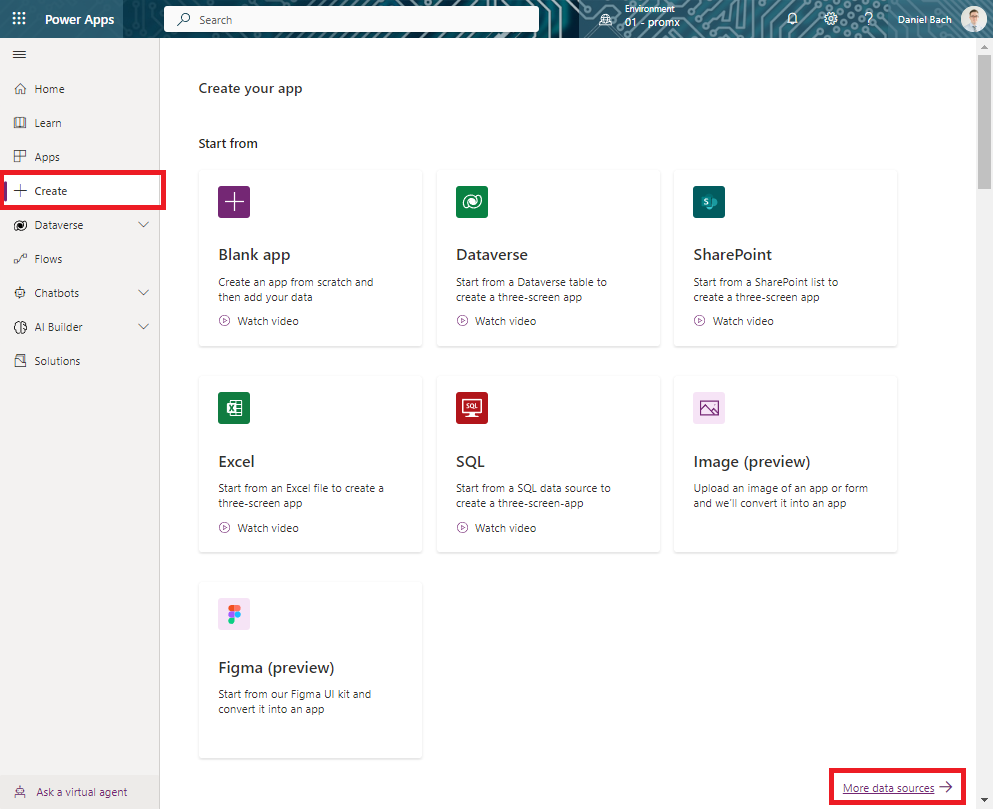
- Open make.powerapps.com
- Click on “+ Create” in the left navigation
- Click “More data sources”
Now we are in the Power Apps Studio and can “open” a new file, our msapp file.
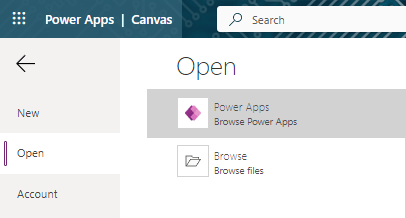
Et voilà, we imported our msapp and can continue to develop in another environment.
Conclusion
With the direct devops integration our source files of the canvas app are saved. We can use the build tools like pac cli to build it. With these small steps it is easy to distribute the app with manual steps.
Sometimes it is good when we get our hands on an msapp file to check out what is in there.
 365 Power